
Good vs Bad 3D Customizer: Key Differences and How They Impact Conversions
Learn how a well-built 3D customizer keeps buyers engaged while a weak one pushes them away. Understand the elements that make the experience feel reliable, seamless, and worth completing.

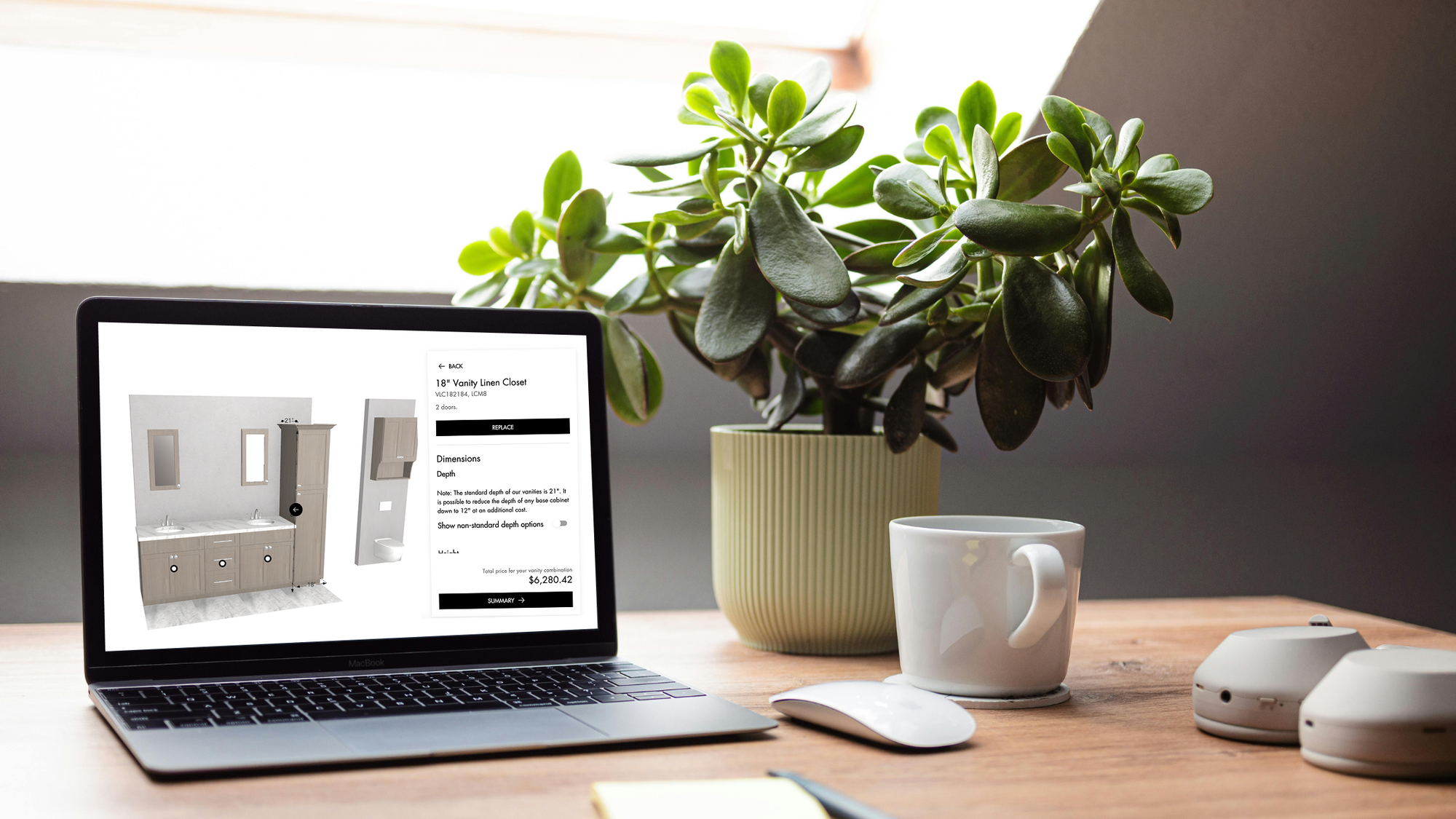
A 3D product customizer can be the strongest asset of your ecommerce experience, or the silent reason buyers bounce. When the experience works well, buyers understand the product, see accurate options, and feel confident enough to move forward. When it does not, they hesitate, abandon the customizer, and never reach your sales team.
Brands that invest in 3D product customization often focus on visuals first. However, the real value comes from how the customizer acts. The workflow structure, 3D models accuracy, clear pricing, all help make the experience feel reliable.
This guide shows the main differences between good and bad product customization software. And how each one affects buying behavior. It also highlights what to pay attention to when evaluating a 3D customizer, so you can avoid common issues.
Overview: What Makes a 3D Customizer Good or Bad?
A good 3D product customizer feels natural from the first interaction. It loads quickly, responds immediately, and behaves in a way that mirrors how the real product works. The model stays true to scale, dimensions adjust correctly, and product rules prevent buyers from creating something that cannot be built. Pricing updates in real-time and the final configuration includes manufacturing outputs like CAD files or BOMs.
A bad 3D customizer feels incomplete. Key elements are missing. The UX is unclear, pricing is not shown in real time, and it cannot generate usable outputs. Instead of guiding buyers through the product options, it creates hesitation and breaks the flow. Which is why buyers abandon the process before completing a configuration.
1. Interface and Ease of Use
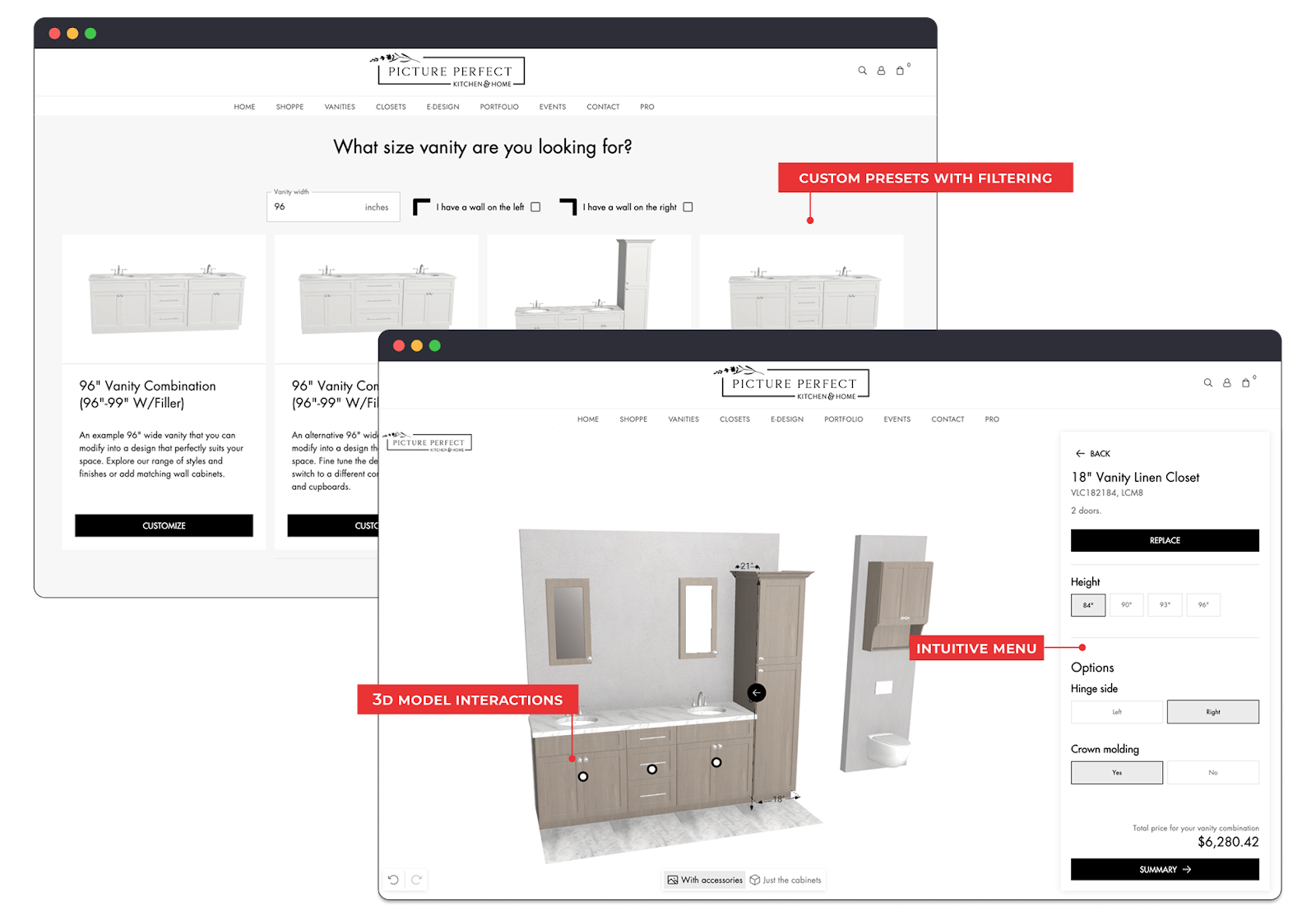
A clear interface is one of the biggest indicators of whether a 3D product customizer will move a customer forward. When the layout is clean and the workflow is easy to follow, buyers immediately understand where to begin and what each option does. Even complex configurations feel manageable because the tool guides them step by step instead of overwhelming them from the start.
The problems begin when the interface is cluttered or built around long dropdown menus. Users spend more time figuring out how the tool works than exploring the product, and this is usually where drop off happens. The moment the workflow becomes unclear, users abandon their configuration, and the opportunity never reaches your sales team.
Pro Tip: When evaluating a 3D customizer partner, ask to see how they structure complex products in a real UI. A clear workflow is a sign they understand how your product is actually bought.
2. Visual Quality and Real-World Scale
Realistic scale is one of the first things users notice in any 3D customizer, even if they do not consciously think about it. When a product behaves the way it would in the real world, the experience feels reliable. Parametric models make this possible because every dimension change triggers the correct updates. Shelves reposition, posts adjust, panels resize, and even fabric patterns scale correctly. No matter the product, every change behaves the way it would in real life. This accuracy builds trust and keeps the buyer moving forward.
The opposite happens when the scale is wrong. A simple width or height adjustment might stretch the model in unnatural ways or cause parts to float. Once the product looks unrealistic, customers start questioning every other detail they see. If they cannot rely on the visual output, they will not customize a product online.
Pro Tip: Make sure your 3D customizer partner can describe how they manage scale and product rules. If they cannot explain their process clearly, the customizer will not reflect your real products.
Example of a 3D pillow customizer with parametric models
3. Pricing Feedback and Transparency
Pricing is one of the most important parts of any 3D product customizer, and buyers expect it to update as they make changes. When the price adjusts instantly, users understand the impact of each decision and feel in control. This is exactly where visual CPQ comes in. It handles all the pricing rules behind the scenes so every change reflects real materials, dimensions, and component pricing.
When pricing is hidden, or only shown at the end, the entire experience becomes harder to trust. Users have no idea whether a dimension change is adding ten dollars or a few hundred. This uncertainty creates hesitation, and almost always leads to drop off. Many brands lose conversions simply because buyers cannot see pricing in real time, even if the rest of the customizer works well.
Pro Tip: Before choosing a 3D customizer partner, confirm they can map your pricing structure into a visual CPQ flow. They should clearly explain how your rules, materials, and dimensions become real-time pricing.
Example of a furniture customizer with visual CPQ
4. Device Responsiveness and Performance
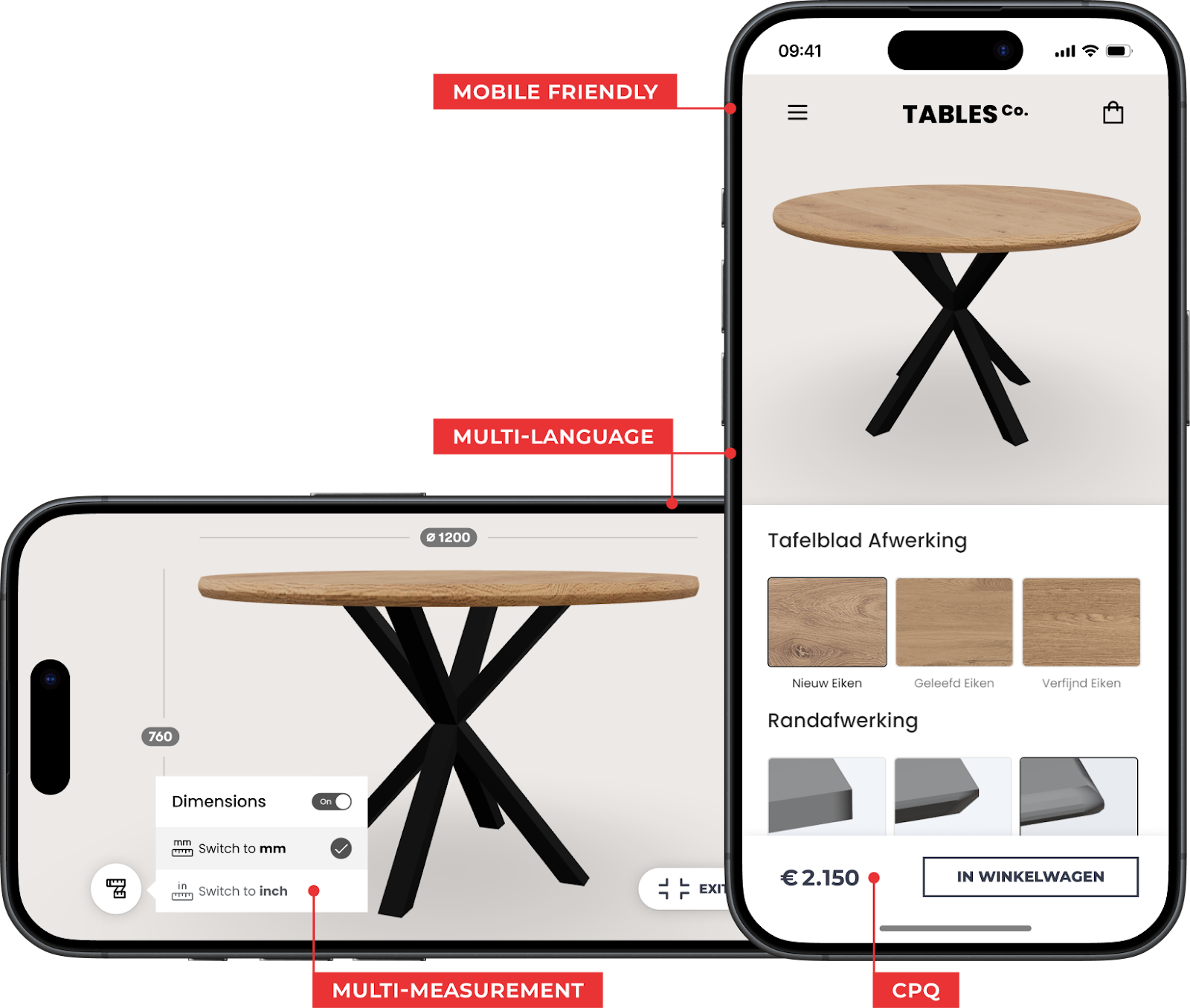
Many users first open a 3D product customizer on their phone, even for complex products. A responsive 3D product customizer loads quickly, runs smoothly, and adapts to touch controls without forcing the user to switch devices. When performance is consistent across screens, the workflow remains clear and the buyer continues the configuration naturally.
Weak performance is immediately visible. Slow loading, stuttering rotation, or controls that do not respond on certain browsers stop the process on the spot. These issues directly lower conversions because the buyer never moves far enough to evaluate the product confidently.
Pro Tip: When reviewing 3D product customizer partners, ask to see real examples across different devices. A product customizer that is not responsive on smaller screens will lead to early drop off.
5. System Integration and Workflow Compatibility
A strong 3D customizer connects to the systems your teams already rely on. When configuration data flows into ERP, CRM, e-commerce, or PIM, every change made in the customizer becomes usable for production and order management. This makes 3D product customization part of a complete workflow instead of a standalone visual tool.
Without these integrations, the process breaks down quickly. The customizer cannot deliver the data your teams actually need. Instead of receiving dimensions, materials, or selected components, production teams are left without the information required to move forward. This slows manufacturing, increases the risk of errors, and adds extra steps that should have been automated from the start.
Pro Tip: Ask upfront how the customizer will connect to your systems. Your partner should explain their integration process and capabilities clearly.
Choose the Right 3D Customizer Partner
A strong 3D product customizer depends on more than software. It depends on the partner who builds it with you. The right partner will help you translate your real products, rules, and constraints into a configuration experience that reflects how your business works. When this goes well, 3D product customization becomes a reliable part of your sales and production workflow instead of a separate visual tool.
If you are evaluating partners, focus on the fundamentals that matter in practice. A good partner should be able to help you:
- Capture real product rules and constraints accurately
- Build true-to-scale parametric models
- Keep the experience smooth across devices
- Integrate with the systems your teams already use
- Support you after launch, not disappear once the project is delivered
If you need a partner who can take your product data and turn it into a working configuration experience, Salsita just does this work end to end. We set up the logic, the interface, and the workflow so the customizer works for your team.