
Checklist: 10 Questions Before Choosing a 3D Configurator Software Provider
Learn how to get the most out of 3D configurator software with 10 practical questions that help you clarify goals, features, and readiness for 3D configuration.


Implementing 3D configurator software can be a major step forward for companies selling complex products. When done right, 3D configuration can reduce manual work, improve the buying experience, and streamline workflows.
But implementing configurator software is not just a technical decision. It requires clarity around products, data, internal processes, and expectations. Teams that skip this often get a configurator that looks good but does not help with real sales and operations.
That does not mean you need everything figured out upfront. The questions below are meant to help you understand where you are today and what to focus on.
Overview of 10 Questions to Ask Your Teams:
- What problems are we trying to solve?
- Who will use the configurator?
- Which product should we start with?
- Are our product rules defined somewhere?
- Do we have 3D models that can be used?
- Which product features do we need?
- Which systems should the configurator integrate with?
- How custom does the interface need to be?
- What ROI do we expect?
- What kind of partner do we want?
1. What Problems Are We Trying to Solve?
Before you start looking at 3D configurator software, be clear about why you want it. This question is important because a 3D configurator can solve significantly different problems depending on how it is used.
Some companies use 3D configuration to reduce reliance on sales. Others use it to clarify complex options, speed up quoting, or bring more consistency to how they present products. If you don't know which problem you are focusing on, you may end up with a configurator that doesn’t solve it, so it won’t provide real value.
Common Reasons Companies Look at 3D Product Configuration:
- Sales are stuck in long email loops because product rules are too complex
- Quoting takes days and deals lose momentum
- Buyers struggle to picture how products and features actually look
- Sales and production work with mismatched or incomplete data
- Engineers spend too much time drawing or adjusting every custom order
 Camille Felappi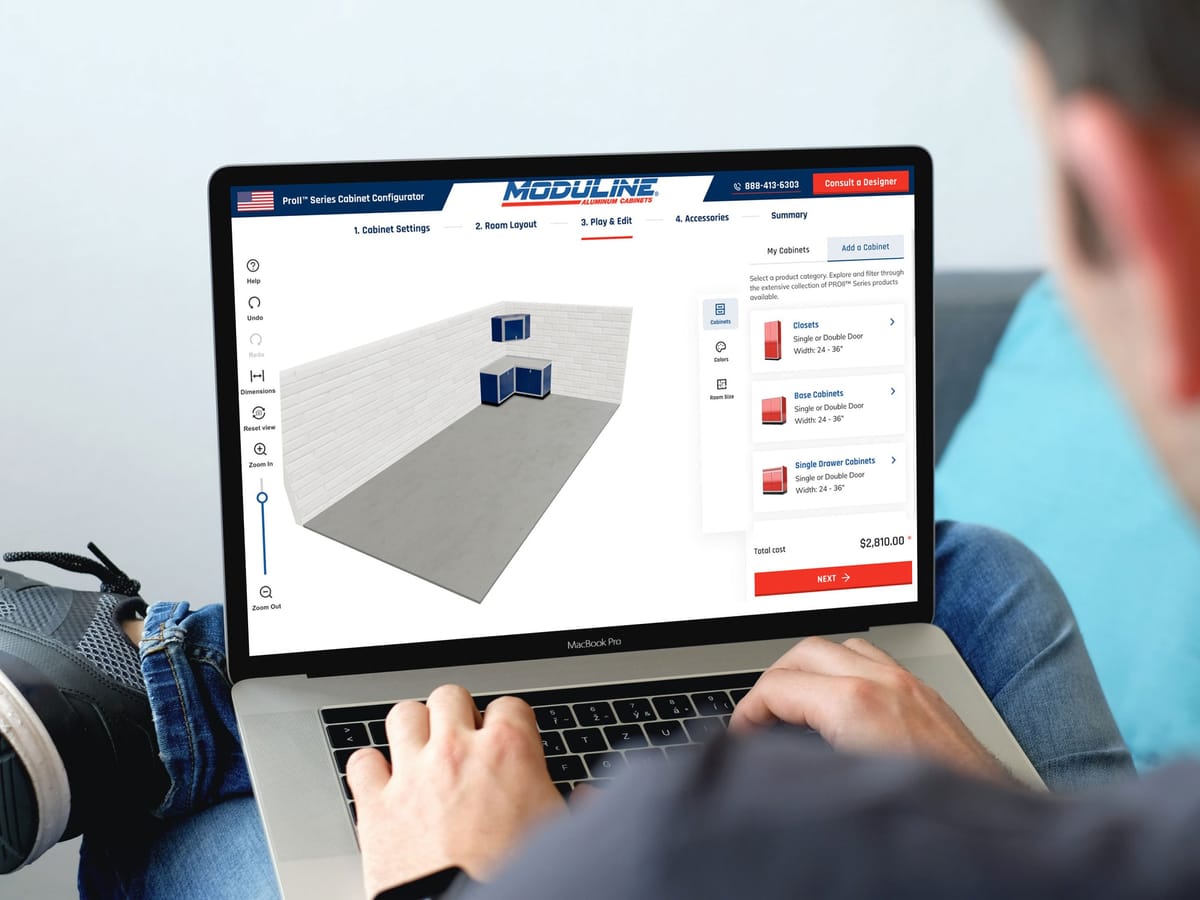
Being clear about the primary problem helps you prioritize the right features and avoid overbuilding early on.
2. Who Will Use the Configurator?
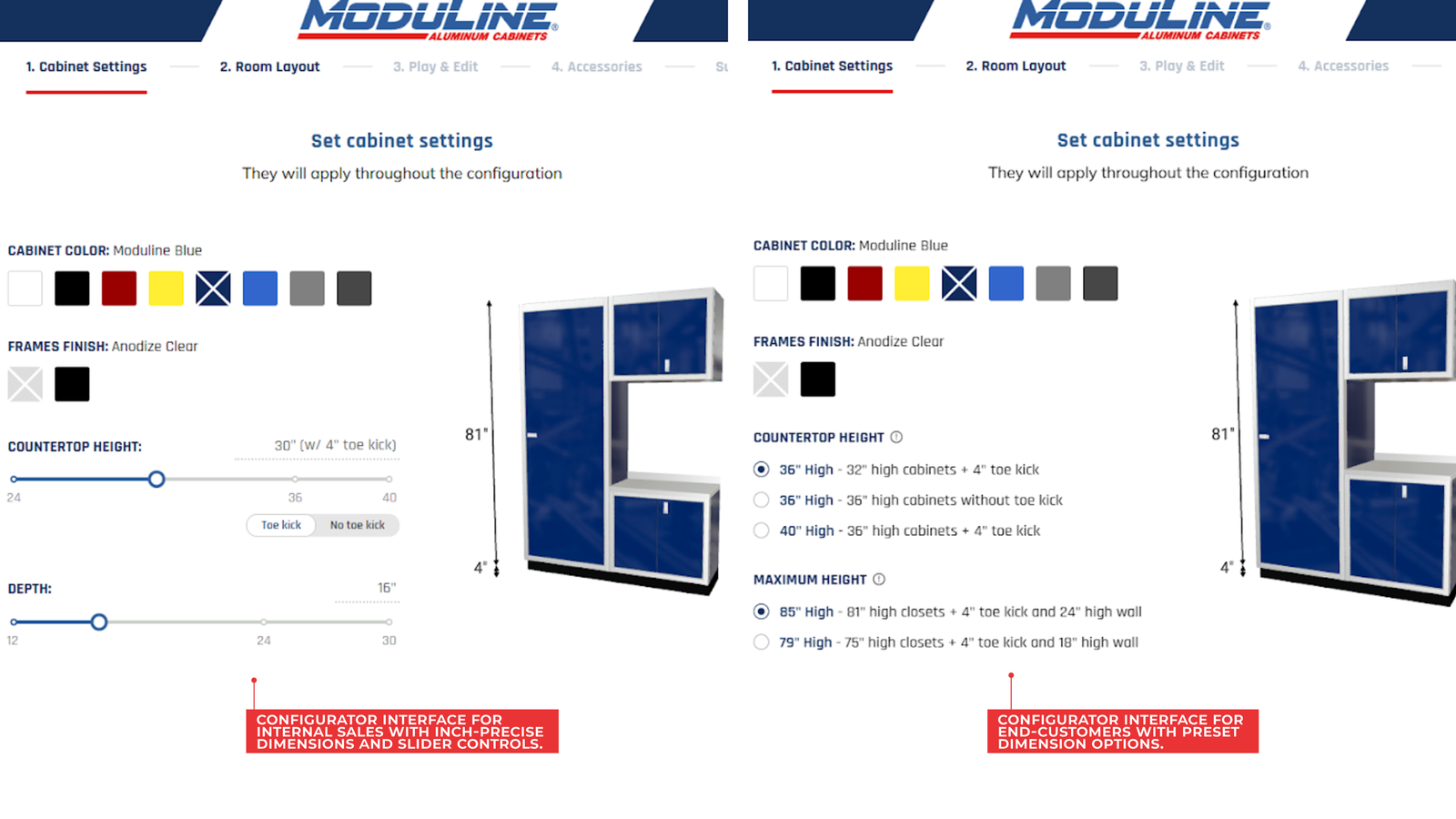
One of the most common mistakes with 3D configurator software is trying to design one experience for everyone. Buyers, sales teams, dealers, and showroom staff all interact with products in different ways. They do not need the same level of control, guidance, or detail.
This matters because it directly affects how your 3D configurator should behave. A buyer-facing experience needs to feel simple and reassuring. A sales-facing one can show more options and logic. A dealer setup needs clear outputs rather than exploration.
 Dani Lopez - Head of Product
If you have multiple users, decide which one comes first and which ones you can support later. That single decision will influence UI complexity, feature scope, and even which configurator software makes sense for you.
3. Which Product Should We Start With?
When you sell multiple configurable products, the biggest mistake is trying to put everything into a 3D configurator at once. Even strong configurator software works best when teams introduce it progressively.
Starting with one product or one clear product category helps you see how real users interact with 3D configuration. Once the configurator is live, you can see where buyers spend their time.
You can also see which options are chosen most often. This helps identify where confusion or drop-off occurs. This kind of insight is difficult to anticipate upfront and very valuable. Buyers may also expect different default choices. Using real usage data to guide expansion leads to a much stronger experience when you later add more products.
You learn more from launching one product than from planning ten. A configurator shows its real value only once customers start using it. Actual behavior quickly reveals what works, what doesn’t, and where to focus next. — Dani Lopez, Head of Product at Salsita
4. Are Our Product Rules Defined Somewhere?
Before you implement a 3D configurator, it helps to know how clearly your product rules are defined today. Not whether they are perfect. But whether they exist in a form that can be referenced, reviewed, and translated into logic.
In practice, most companies fall somewhere between “fully documented” and “entirely tribal knowledge.” That is normal. The key is being honest about where you are starting, because it directly affects how much groundwork is needed.
Quickly assess the current state of your product rules:
| Rule Documentation Level | What This Usually Looks Like |
|---|---|
| Mostly Documented | Rules live in structured docs, spec sheets, or internal tools |
| Partially Documented | Some rules are written down, others are known by sales or experts |
| Informal Only | Rules are enforced through experience and manual checks |
| Scattered Across Systems | Rules exist in spreadsheets, ERP, pricing tools, and emails |
| Not Clearly Defined | Valid combinations are decided case by case |
5. Do You Have 3D Models That Can Be Used?
When teams talk about “having 3D models,” they often mean different things. For a 3D configurator, what matters is not if models exist. It is about what inputs you can give to prepare models for interactive 3D use.
Some companies already have textured 3D models that are close to ready. Others work mainly with CAD files, drawings, or reference images. All of these can be good starting points. However, they require different amounts of effort to prepare models for 3D configuration. This is especially true when products need to change shape, size, or structure based on options.
As a quick check, which of the following inputs can you provide today?
- Fully textured 3D models
- Untextured 3D models
- 3D CAD files
- 2D CAD files
- Reference images only
Knowing what you can provide helps set realistic expectations around timelines, visual fidelity, and how much work is required before models are ready for the configurator software.
6. Which Product Features Do We Need?
Not all configurable products need the same kind of 3D configurator features. The features that matter most depend heavily on what you sell and how your products are customized. This is why generic feature lists are often misleading.


It is useful to look at which capabilities are typically required for different types of configurable products. That gives you a much clearer baseline when evaluating configurator software.
Typical Features Set Based on product Types:
| Product Type | Typical Configuration Challenges | Features That Matter Most |
|---|---|---|
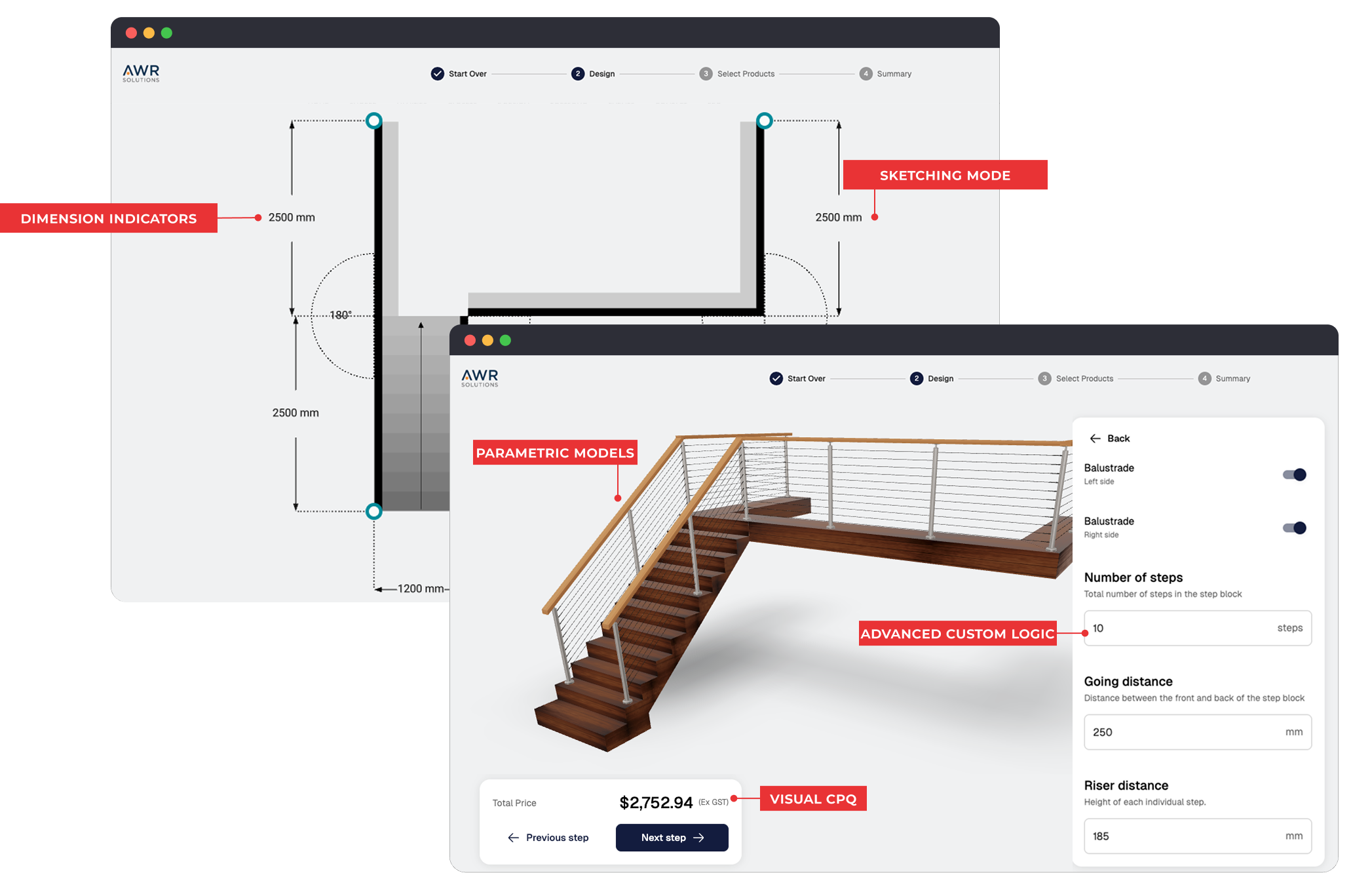
| Modular Furniture, Kitchens & Cabinets | Combining modules, managing layouts, finishes. | Modular configuration, parametric models, visual CPQ, floor plan uploads, manufacturing outputs. |
| Railing Systems | Paths, segments, corners, mounting rules, safety constraints. | Parametric models, sketching mode, dimension indicators, advanced custom logic, manufacturing outputs. |
| Doors, Windows & Openings | Dimensions, opening types, performance options. | Parametric models, visual CPQ, 3D model animations. |
| Outdoor Structures, Pergolas, Carports | Structural spans, add-ons, materials. | Modular configuration, parametric models, AR, visual CPQ. |
7.Which Integrations do We Need?
This is one of those questions that feels simple at first and becomes painful if skipped. A 3D configurator rarely lives in isolation. At some point, the data it produces needs to go somewhere, or come from somewhere.
Instead of thinking in technical terms, think in practical ones. Where does product data live today? Where does pricing live? Where does a configured product need to end up once someone is done configuring?
Answering those questions makes it very clear which systems actually matter. Then, identify what must be connected and what can wait.
Common Systems to Consider Integrating:
- E-commerce platform: Needed if configurations must move into checkout or online ordering.
- CRM: Needed if sales teams should access saved configurations and follow up with leads.
- PIM: Needed if product data, attributes, and options are managed centrally and must stay consistent.
- ERP or manufacturing system: Needed if configurations are used to generate BOMs, CAD files, or production data.
- Internal dashboards or order tools: Needed if configurations must be reviewed, approved, or managed internally.
You do not need to integrate with everything upfront. But you should be clear about which systems are required for the configurator to be usable in real life, not just as a demo.
8. How Custom Does the Interface Need to Be?
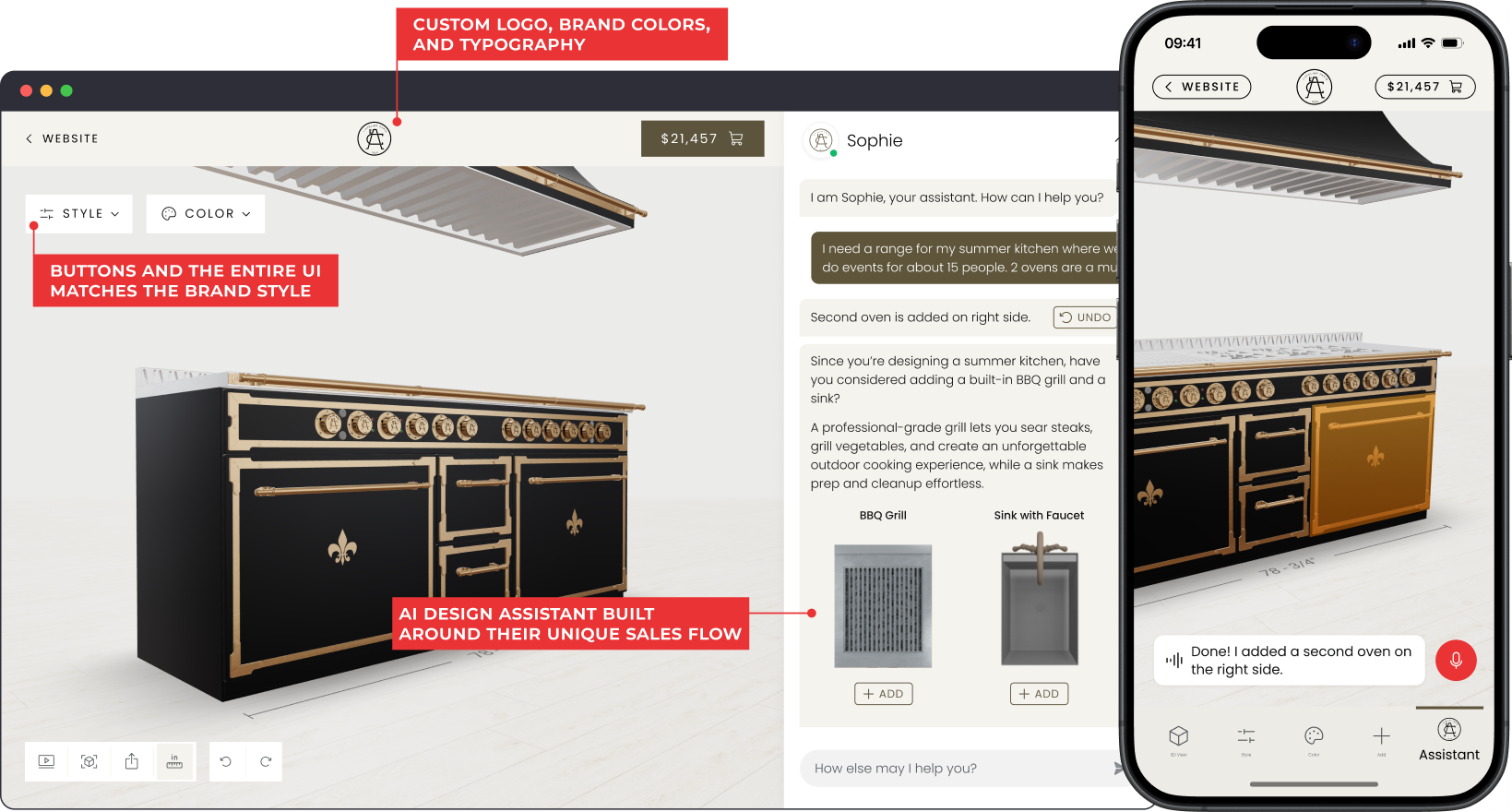
Interface customization affects how users move through the configurator, how options are presented, and how closely the experience matches your website. This is often where teams feel constrained after launch if the limits were not clear upfront.

Before implementing a 3D configurator, be clear about the flexibility you need. Some teams are fine working within a predefined structure. Others need the interface to adapt closely to their brand experience and identity.
Levels of Interface Customization:
| Level | What This Usually Includes | When This Level Makes Sense |
|---|---|---|
| Low | Fixed layout, predefined interaction patterns. | You want a fast launch and are fine with a standard UI. |
| Medium | Custom components, adjustable steps, branded layout. | You need the interface to align with your product and sales flow. |
| High | Fully custom layouts, interactions, and UI behavior. | The configurator must feel fully native and support unique experiences. |
9. What ROI Do We Expect?
At this stage, you should have a rough idea of why the investment makes sense financially. This is not about calculating exact ROI or building a business case yet. It is about knowing where the ROI is expected to come from.
Different companies justify a 3D configurator in different ways. Some look at revenue impact. Others focus on efficiency, error reduction, or the ability to scale without adding people.
Before moving forward, you should be able to point to one or two clear ROI drivers, such as:
- Less manual work for sales, engineering, or operations
- Higher conversions on complex products
- Fewer order errors
- Fewer back-and-forth exchanges during quoting
- Faster sales cycles for configurable products
You do not need all of these to apply. But you should know which ones justify the project in your case. That helps set expectations internally and keeps the configurator scope aligned with real business impact.

10. What Kind of Partner Do We Want?
By this point, the question is about who you want to work with to build and run your configurator. In real projects, this choice has a direct impact on timelines, quality, and how much work stays on your side.
Some companies want a partner who delivers a platform and leaves most decisions and setup to their internal team. Others want a partner who helps translate complex products into configuration logic and advises on what works in practice. Neither approach is wrong, but they lead to different project experiences.
Common Ways Companies Work With Configurator Partners:
| Partner Approach | How It Typically Works | When This Is a Good Fit |
|---|---|---|
| Self-Service Platform | You get the software and tools, and build and maintain the configurator mostly on your own. | Best suited for simpler products and teams with strong technical or product resources. |
| Implementation-Led Partner | The partner builds the configurator for you based on your requirements and inputs. | A good fit for complex products when internal capacity is limited. |
| Long-Term Partner | The partner helps you launch an initial version, then continues to expand the configurator over time by adding new features and capabilities as real needs emerge. | Best suited for complex products where the configurator is expected to grow and improve after launch as usage patterns become clearer. |
Wrapping Up
If you’ve worked through these 10 questions, you’re in a much better position to evaluate 3D configurator software without getting pulled into feature noise or nice-looking demos. You should now have a clearer view of your use case, the scope you actually need, and what has to be true internally for the project to run smoothly.
At Salsita, we build 3D configurators for complex, configurable products, especially in furniture, manufacturing, and construction-related industries. The way we approach these projects is simple: launch a strong first version, then improve and expand it based on real user behavior and real business needs.
If you want to see what this looks like in practice, or if you’d like a second opinion on your requirements before you commit to a direction, we’re happy to walk through your use case and share relevant examples.
Book a 1:1 Personalized Demo: